
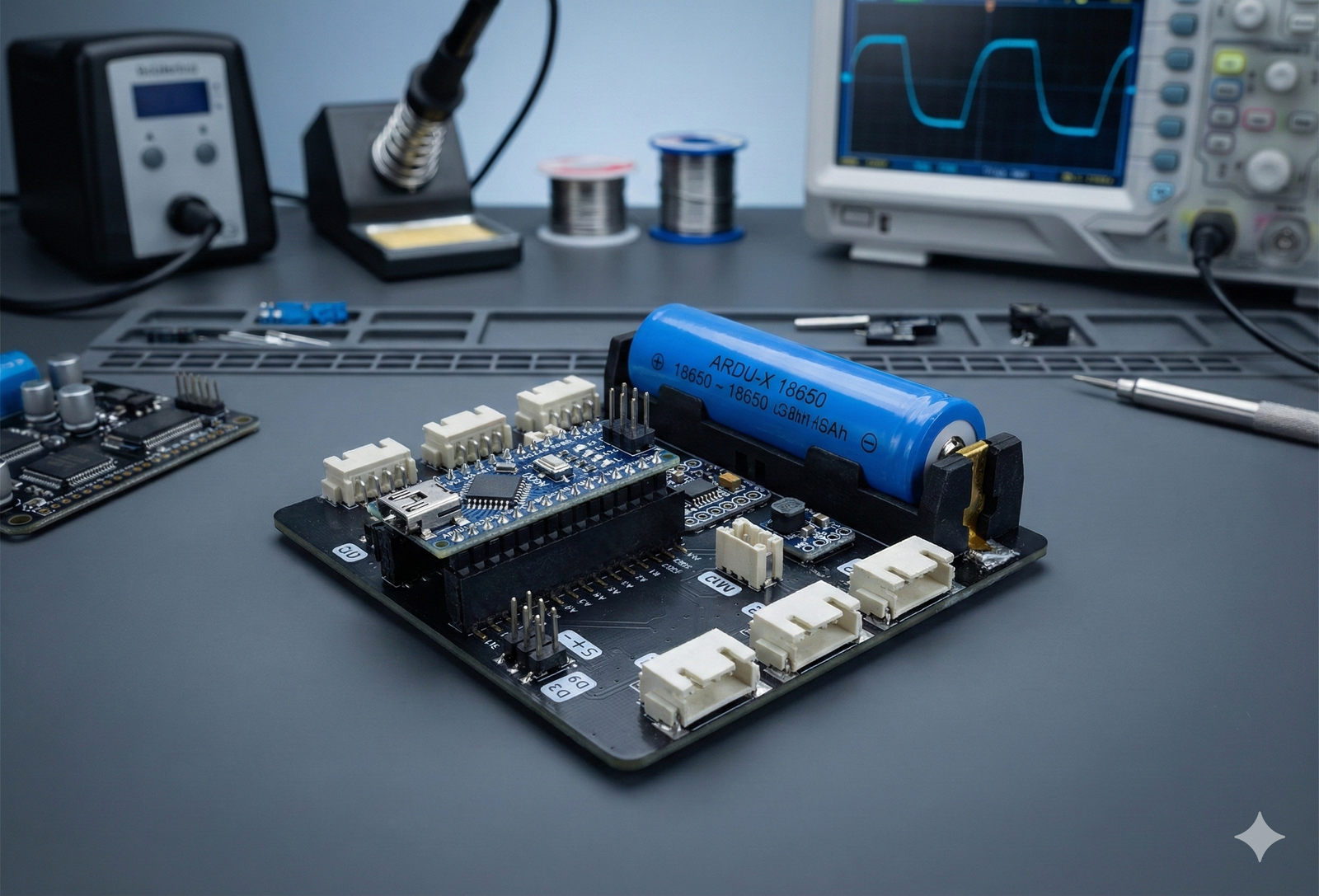
Ardu-X is a beginner-friendly Arduino learning kit powered by Arduino Nano, with block-based coding software that automatically converts blocks into Arduino C++ code—so students can learn faster, without fear of syntax.
What is Ardu-X Kit? (Detailed)
Ardu-X Kit is an Arduino-based STEM learning kit designed for school students and beginners (Grades 4–12).
It is built around the Arduino Nano and comes with a wide range of real sensors and output modules—so learners can build meaningful projects like smart alarms, automatic lights, weather monitors, water-level alerts, and mini automation systems.
The biggest challenge for beginners is that Arduino programming in C/C++ feels difficult at the start—syntax errors, missing semicolons, confusing logic, and long code can reduce confidence quickly.
That’s why Ardu-X includes a block-based coding software designed to make learning easier:
-
Students build logic using simple blocks (drag-and-drop)
-
The software automatically converts blocks into Arduino C++ code
-
Learners can view the generated code and slowly understand “how code is written”
-
Teachers can teach concepts first (logic + sensors), and move to code gradually
Ardu-X is perfect for classrooms, robotics/STEM labs, workshops, and self-learning, because it supports both:
✅ quick success with blocks + ✅ smooth transition into real Arduino coding.
What’s Inside? (Grouped Lists)
1) Controller
-
Arduino Nano (main microcontroller)
-
Connection cables / basic wiring accessories (as per kit variant)
2) Sensors (Inputs)
-
IR Sensor
-
PIR Motion Sensor
-
Flame Sensor
-
DHT11 Temperature & Humidity Sensor
-
Water Level Sensor
-
Sound Sensor
-
LDR (Light Sensor)
-
Gas Sensor
-
Ultrasonic Distance Sensor
-
Soil Moisture Sensor
-
Rain Sensor
-
RTC (Real-Time Clock Module)
3) Output / Control Modules (Outputs)
-
LEDs
-
Buzzer
-
SG90 Servo Motor
-
2-Channel Relay Module
-
Mini Water Pump
-
4-Digit 7 Segment Display Module
-
I2C LCD Display
Key Features (Highlight block-to-C++ strongly)
-
Block Coding → Arduino C++ Auto Conversion
Drag blocks, build logic, and instantly generate Arduino C++ code automatically. -
Designed for Beginners + Schools
Simple, step-by-step learning flow that works well in classrooms and labs. -
Wide Sensor + Module Range
Covers environment sensing, motion detection, distance measurement, automation outputs, and display modules. -
Hands-on STEM Learning
Students don’t just “watch”—they build real working projects. -
Project-Based Progression
Learners can start with simple LED and buzzer projects and progress to automation and multi-sensor systems. -
Quick Setup & Beginner-Friendly Connections
Easy to connect modules and get started quickly (ideal for workshops and school labs).
Why Choose Ardu-X?
For Schools & STEM Labs
-
Teacher-friendly: easier to teach logic first, then shift to code
-
Less time wasted on syntax errors and debugging at beginner stage
-
Perfect for workshops: fast setup, fast results, high student engagement
-
Supports Grades 4–12, so one kit can serve multiple levels
For Beginners
-
Learn programming logic using blocks (no fear)
-
Understand sensors and electronics through real experiments
-
Gradually read and learn Arduino C++ through generated code
Learning Outcomes
With Ardu-X, learners will build strong foundations in:
Coding & Logic
-
Sequencing, loops, conditions (if/else)
-
Variables and basic logic building
-
Converting block logic into real Arduino C++ understanding
Electronics & Sensors
-
Working of input sensors and output modules
-
Signal reading and threshold-based control
-
Real-world sensor applications (environment, safety, automation)
Problem Solving & Projects
-
Turning ideas into working prototypes
-
Debugging, testing, improving designs
-
Building confidence through hands-on success
Project Ideas (Beginner → Advanced)
Beginner Projects
-
LED Blinking Patterns (traffic light style)
-
Buzzer Alarm using IR / PIR
-
Automatic Night Lamp using LDR
-
Sound-Activated Light / Alarm
-
Temperature & Humidity Display (DHT11 + LCD)
Intermediate Projects
-
Ultrasonic Distance Indicator (buzzer + display)
-
Water Level Alert System
-
Rain Alert System with buzzer + LCD
-
Gas Leakage Alarm System
-
Servo-based Automatic Gate (IR/Ultrasonic + SG90)
Advanced Projects
-
Smart Home Automation Demo (Relay + sensors)
-
RTC-based Timer Automation (scheduled ON/OFF)
-
Multi-sensor Safety System (Gas + Flame + PIR + display)
-
Automatic Plant Care Concept (Soil moisture + pump + scheduling)
-
Classroom “Smart Lab” monitoring dashboard (sensor readings shown on LCD / 7-seg)
FAQs
1) Do I need to know C++ to start?
No. Ardu-X is designed for beginners. You can start with block-based coding, and the software will generate Arduino C++ automatically. Over time, students naturally learn the code by observing it.
2) Does it support block coding?
Yes. Ardu-X includes block-based coding software that allows drag-and-drop programming and auto converts blocks into Arduino C++ code.
3) Is Arduino Nano included?
Yes, Arduino Nano is included as the main controller in the Ardu-X kit (unless you offer a “without board” variant—then you can mention it on your product options).
4) Is this kit suitable for school students (Grades 4–12)?
Yes. It is designed specifically for Grades 4–12, with projects that scale from very basic to advanced.
5) Can schools use this for workshops and STEM labs?
Absolutely. Ardu-X is ideal for school robotics/STEM labs and hands-on workshops, because it offers quick setup, engaging projects, and a structured learning path.
6) What can students build with Ardu-X?
Students can build projects in automation, safety alarms, environment monitoring, smart displays, servo mechanisms, relay control, and water pump control—ranging from beginner experiments to advanced prototypes.
7) Does Ardu-X include any AI vision sensor?
No. Ardu-X focuses on Arduino + sensors + automation learning. It does not include an AI vision sensor.
8) Is it okay for complete beginners with no electronics background?
Yes. The kit is beginner-friendly and designed to teach electronics concepts through guided, hands-on learning.
Reviews
There are no reviews yet.