
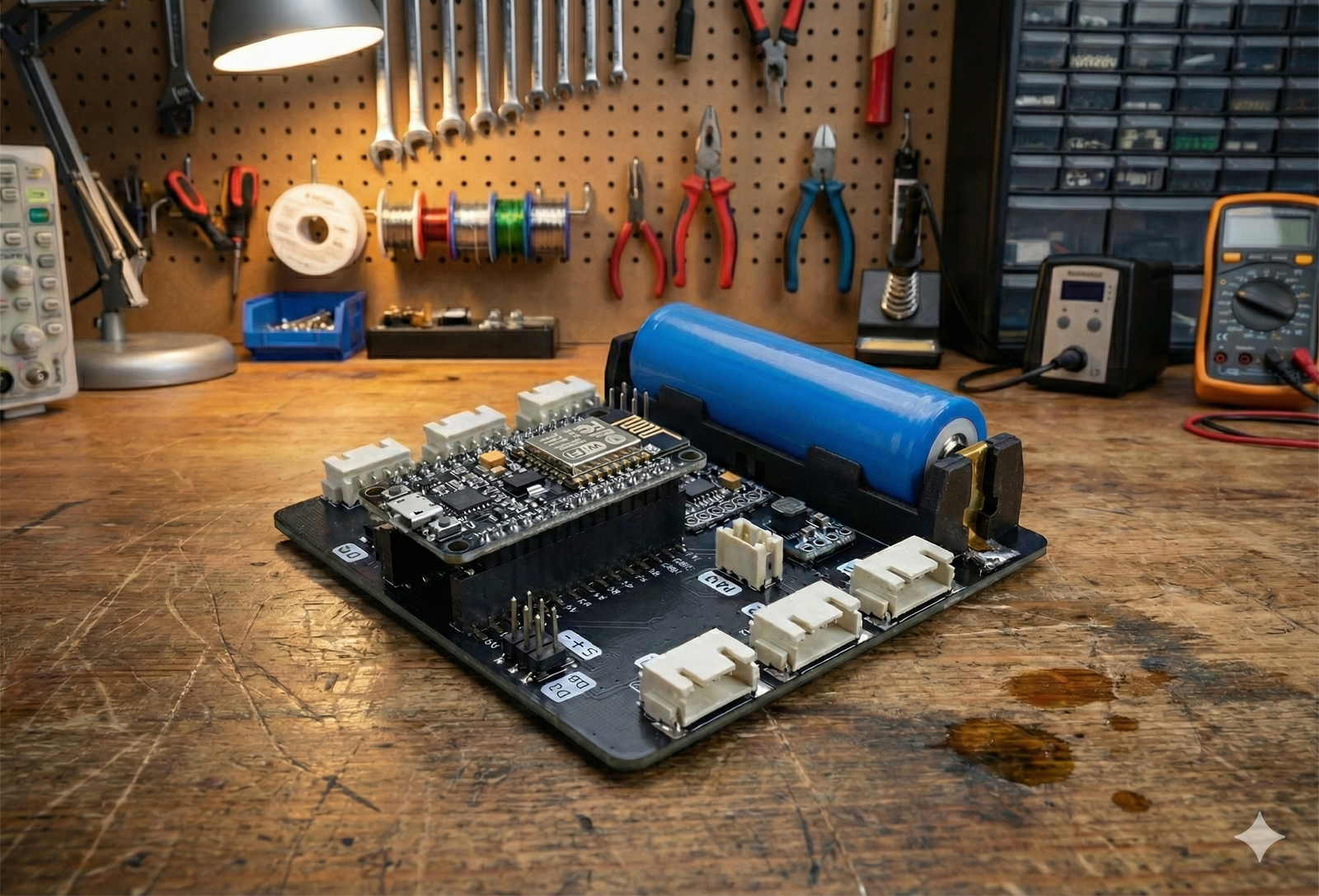
What is Node-X Kit?
Node-X Kit is a Wi-Fi based IoT learning kit designed to help students and beginners build real-world “connected” projects using a NodeMCU (ESP8266) controller. With Node-X, learners don’t just make circuits—they learn how to read sensors, send data over Wi-Fi, view it on a dashboard, and control outputs remotely.
Node-X is built for hands-on learning in schools, STEM labs, robotics labs, makerspaces, workshops, and home makers. Students can start with simple sensor readings (like temperature, light, motion) and gradually move to full IoT systems like remote monitoring, alerts, automation, and control—the same way smart homes, smart farms, and industrial IoT work.
A key challenge for beginners is coding. Many students get stuck when they must write long programs. Node-X solves this by providing a block-based coding system where learners build logic using blocks, and the system automatically generates the required code.
On top of that, Node-X includes access to a custom IoT Dashboard made for learning. Students can view data using cards/values/graphs and control devices using buttons/toggles, making IoT projects feel real and exciting.
What’s Inside?
1) Controller
-
NodeMCU (ESP8266) microcontroller (Wi-Fi enabled)
2) Sensors Included
-
IR sensor
-
PIR motion sensor
-
Flame sensor
-
DHT11 temperature & humidity sensor
-
Water level sensor
-
Sound sensor
-
LDR light sensor
-
Gas sensor
-
Ultrasonic distance sensor
-
Soil moisture sensor
-
Rain sensor
-
RTC (Real Time Clock)
3) Output / Control Modules Included
-
LEDs
-
Buzzer
-
SG90 Servo motor
-
2-Channel Relay module
-
Water pump
-
4-Digit 7-Segment display
-
LCD display (I2C)
4) Dashboard Access
-
Custom IoT Dashboard access (for viewing sensor data + controlling outputs)
-
Widgets supported: value cards, live readings, graphs, buttons/toggles
-
Works over Wi-Fi and can be used for remote monitoring (when internet is used)
Key Features
-
Wi-Fi IoT Learning (NodeMCU ESP8266): Learn how smart devices send data and receive commands wirelessly.
-
Beginner-Friendly Block Coding: Create programs using blocks—no need to start with complex text coding.
-
Custom IoT Dashboard: View live sensor data on widgets and graphs, and control outputs using buttons/toggles.
-
Remote Monitoring & Control: Monitor projects from anywhere (when connected through internet).
-
Real Sensors + Real Automation: Build practical projects using motion, temperature, gas, water, rain, soil, distance, and more.
-
School / Lab Ready: Perfect for classroom learning, STEM labs, robotics labs, makerspace activities, and workshops.
-
Step-by-Step Learning Path: Start from basic sensor readings → move to Wi-Fi data → dashboards → automation projects.
How the IoT Dashboard Works
Node-X follows a simple “real IoT” flow:
-
Sensor reads data (example: temperature, motion, gas, soil moisture)
-
NodeMCU connects to Wi-Fi
-
Data is sent to the dashboard
-
Dashboard shows data as cards / values / graphs
-
If you press a button/toggle on the dashboard, the command goes back to NodeMCU
-
NodeMCU performs the action (example: turn ON relay, pump, buzzer, LED, move servo)
In short:
Device → Wi-Fi → Dashboard (view) → Dashboard (control) → Device
Why Choose Node-X?
For Schools & STEM Labs
-
Helps schools teach IoT practically, not only theory
-
Students learn wireless data + dashboards + automation, which is highly relevant today
-
Works great for project-based learning, exhibitions, and makerspace activities
-
Suitable for Grades 5–12 with an easy learning curve
For Beginners
-
Block coding reduces the fear of coding
-
Students can see results quickly (sensor values, graphs, remote control)
-
Easy to understand, easy to demonstrate, and fun to build
For Workshops & Training
-
Ready for hands-on batches (quick setup + engaging outputs)
-
Dashboard makes projects look professional and “real-world”
-
Supports multiple project types: home automation, environment monitoring, smart farming, alerts, and more
Learning Outcomes
By completing activities with Node-X, learners can achieve:
-
Understand IoT basics: device, sensor, Wi-Fi connection, data flow
-
Learn how sensors work and how to use them in real applications
-
Build logic with block-based programming (conditions, loops, automation rules)
-
Learn remote monitoring using dashboard widgets and graphs
-
Learn remote control using buttons/toggles (control LED/relay/pump/servo)
-
Understand real concepts like:
-
live data updates
-
automation triggers (if motion detected, turn on alarm)
-
time-based control using RTC
-
monitoring + action systems (smart safety / smart farming style projects)
-
Project Ideas (Beginner → Advanced)
Beginner IoT Projects
-
Wi-Fi Sensor Monitor (Live Values): Show LDR / DHT11 / sound sensor readings on dashboard cards
-
Smart Night Lamp: LDR detects darkness → LED turns ON automatically
-
Motion Alarm System: PIR detects motion → buzzer alert + dashboard status update
-
Distance Indicator: Ultrasonic sensor value shown on dashboard (value + simple graph)
Intermediate IoT Projects
-
Remote LED Control: Control LED from dashboard toggle (from mobile or PC)
-
Smart Water Tank Monitor: Water level shown on dashboard + alert when low/high
-
Gas Leakage Alert System: Gas sensor triggers buzzer + dashboard warning
-
Weather Mini Station: DHT11 + rain sensor + LDR → view combined sensor dashboard with graphs
Advanced IoT Projects (Remote Monitoring & Control)
-
Smart Irrigation Demo: Soil moisture + relay + water pump → dashboard shows moisture + pump control button
-
Time-Based Automation: RTC schedules relay/pump ON/OFF at specific times
-
Multi-Sensor Safety System: Gas + flame + motion → dashboard alerts + automatic buzzer + relay control
-
IoT Dashboard Control Panel: A complete “control room” dashboard with:
-
graphs for temperature/humidity
-
buttons for relay/pump
-
indicators for motion/rain/flame detection
FAQs
1) Do I need coding experience to use Node-X?
No. Node-X supports block-based coding, so beginners can build programs using blocks. It’s designed for students who struggle with text-based coding.
2) Is internet required to run Node-X projects?
Not always. Many projects can run on local Wi-Fi. For remote monitoring from anywhere, internet is used along with the dashboard setup.
3) Does it work on mobile phones?
Yes. The dashboard can be used on mobile, tablet, and laptop/PC (depending on your dashboard access setup and browser).
4) Is NodeMCU included in the kit?
Yes. The kit is built around NodeMCU (ESP8266) as the main controller.
5) Can multiple devices connect to the dashboard?
Yes. Multiple Node-X devices can be used, based on the dashboard plan/setup (useful for classroom labs and group projects).
6) Is the IoT dashboard paid?
The dashboard access may be included or available as an add-on, depending on your package. (You can update this line with your final pricing model.)
7) Can I control real devices like pumps or lights using Node-X?
Yes. Using the relay module and dashboard controls, you can control loads (within safe limits and proper supervision). The kit is ideal for safe learning demos like pump control, lights, buzzers, and small automation setups.
8) Is Node-X suitable for schools and classrooms?
Yes. Node-X is designed for Grades 5–12, STEM labs, makerspaces, robotics labs, and workshops with a school-friendly learning approach.
9) Can students make projects without the dashboard?
Yes. Students can still build sensor + automation projects locally. The dashboard is recommended for the best IoT learning experience.
10) What if my school Wi-Fi has restrictions?
Node-X can work with local networks, but some networks block device connections. We can guide you on the best setup (mobile hotspot, dedicated router, or allowed Wi-Fi settings).
Reviews
There are no reviews yet.